
Security Camera Fix
Someone is in your driveway. The fix is knowing fast, seeing clearly, and being able to respond from your phone.
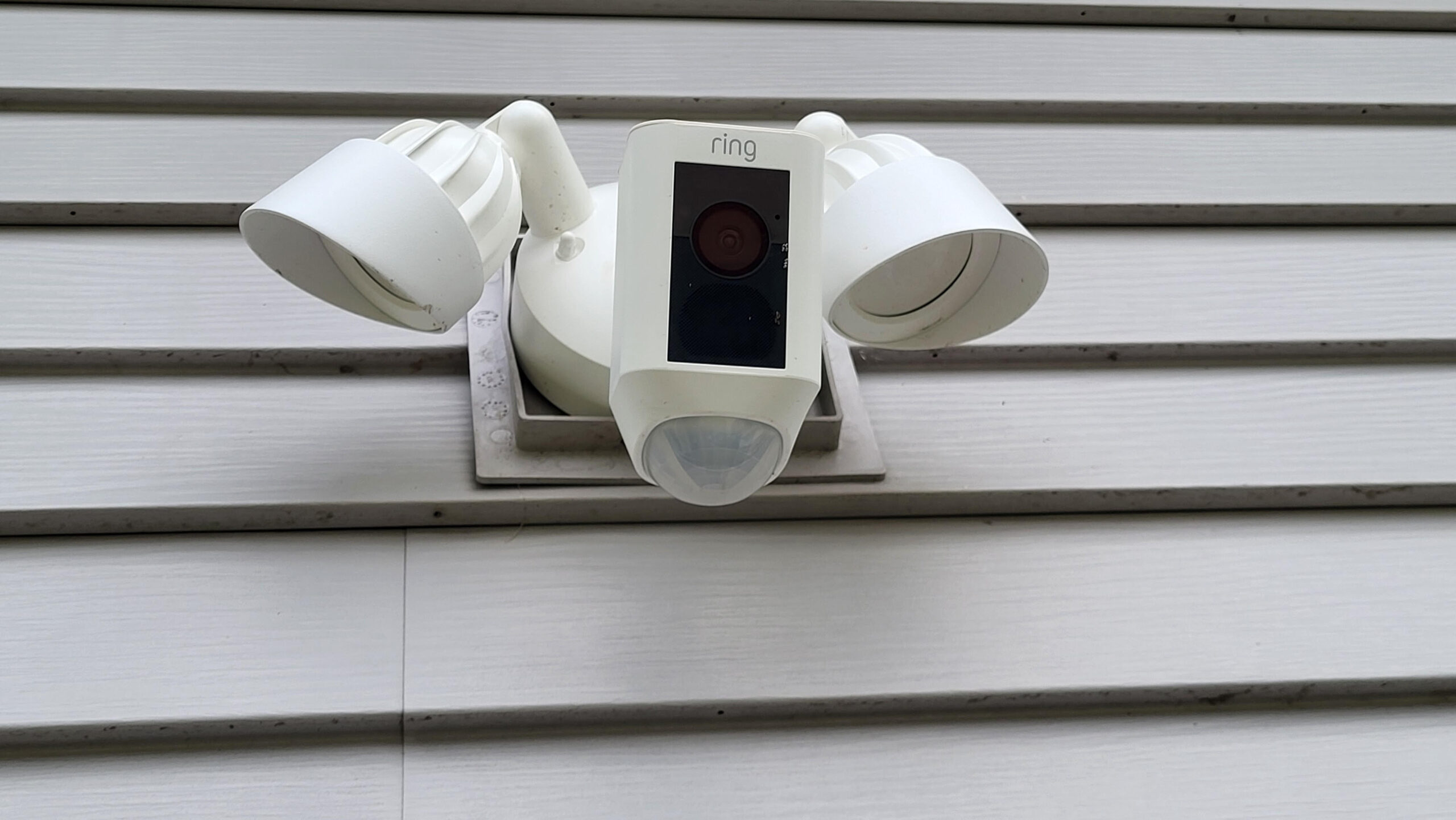
The Ring Floodlight Camera We Use at Home
My wife gave me this Ring Floodlight Camera for Christmas a couple of years ago, and we have trusted it ever since. It alerts our phones when someone is in the driveway, lets us watch live video wherever we are, shows video on our Amazon Echo devices when we are home, and gives us a built-in siren we can activate from our phones.
 Get the Exact Ring Floodlight Camera We Use
This button opens the Amazon listing for the Ring Floodlight Camera we use at home.
Watch the Ring Floodlight Camera Short
See the quick Fix It Fast with Bobby Short showing why we trust this Ring Floodlight Camera at our own home.
The Problem
A regular light or basic camera does not always give you enough information fast enough. When someone walks into the driveway, we want to know quickly, see what is happening, and decide what to do without guessing.
Why This Fix Works for Us
Phone Alerts
What it fixes: Not knowing when someone is in the driveway.
How we use it: Our phones alert us when motion is detected so we can check what is happening.
Live Video
What it fixes: Wondering whether the alert is family, a delivery, or someone you do not recognize.
How we use it: We open the Ring app and watch live video from our phones wherever we are.
Echo Viewing
What it fixes: Having to grab your phone every time you want to check the camera at home.
How we use it: We can view the camera on our Amazon Echo devices when we are home.
Motion Zones
What it fixes: Too many useless alerts from areas that do not matter.
How we use it: We adjust motion zones so the camera focuses on the areas we care about.
Floodlights
What it fixes: A dark driveway where it is harder to see who triggered the camera.
How we use it: The built-in floodlights help light up the area when motion is detected.
Built-In Siren
What it fixes: Needing a stronger response if you do not recognize who is there.
How we use it: If needed, we can activate the siren from our phones.
Before You Replace a Security Camera
If your camera does not alert you: Check phone notification settings, app permissions, motion settings, and whether the camera is online.
If the video cuts out: Check WiFi signal strength near the camera. A weak signal can make even a good camera act unreliable.
If you get too many alerts: Review your motion zones and sensitivity settings before assuming the product is the problem.
If night video is hard to see: A floodlight camera may be a better fit than a camera without built-in lighting.
If you want hands-free viewing at home: Make sure the camera works with the smart display or Echo device you plan to use.
If you want siren control: Confirm the model you are buying includes a built-in siren and app control.
Quick Questions
Is this the actual camera you use?
Yes. This is the Ring Floodlight Camera installed at our own home.
Why are you comfortable recommending it?
Because we have used it for years and trust the phone alerts, live video, Echo viewing, floodlights, and siren control.
Does it help when you are away from home?
Yes. We can open the Ring app and watch live video from our phones wherever we are.
Does it help when you are home?
Yes. We can view the camera on our Amazon Echo devices without needing to grab our phones.
Should everyone replace their camera right away?
No. First check WiFi, power, app permissions, notification settings, and motion zones. If those are correct and your current camera still does not do what you need, replacing it may make sense.
My Tested Security Camera Fix
This Ring Floodlight Camera earned its place on our home because it solves a real problem for us: knowing who or what is in the driveway when motion is detected.
Get the Exact Ring Floodlight Camera We UseDisclosure: As an Amazon Associate, I earn from qualifying purchases at no extra cost to you. Product prices, availability, specifications, app features, subscription options, and promotions may change.